

TL;DR: On 30 September 2026, Airbnb's Fall Update launched AI search in the US: guests can now describe the stay they want in their own words or by voice, use AI filters, read AI-written descriptions of your home in the search results, and compare wishlist homes side by side with AI summaries. Airbnb uses details you provide to describe your home and guest reviews to summarise past stays. It doesn't say that all four features read every field or photo. So the most useful thing you can do right now is make your listing accurate, complete and easy for a machine to read. Airbnb has not said AI search changes how listings rank, and I won't pretend otherwise.
What actually changed
I've been hosting long enough to remember when a guest's search was a few dropdowns: dates, guests, price range. That isn't the only way to search anymore. Where AI Search is available, guests can still switch back to the dropdowns.
Here's what Airbnb announced on 30 September 2026:
- AI search. Guests type or say what they want — "a quiet place near the beach with a proper workspace for two weeks" — instead of filling in fields. Airbnb matches that against listings.
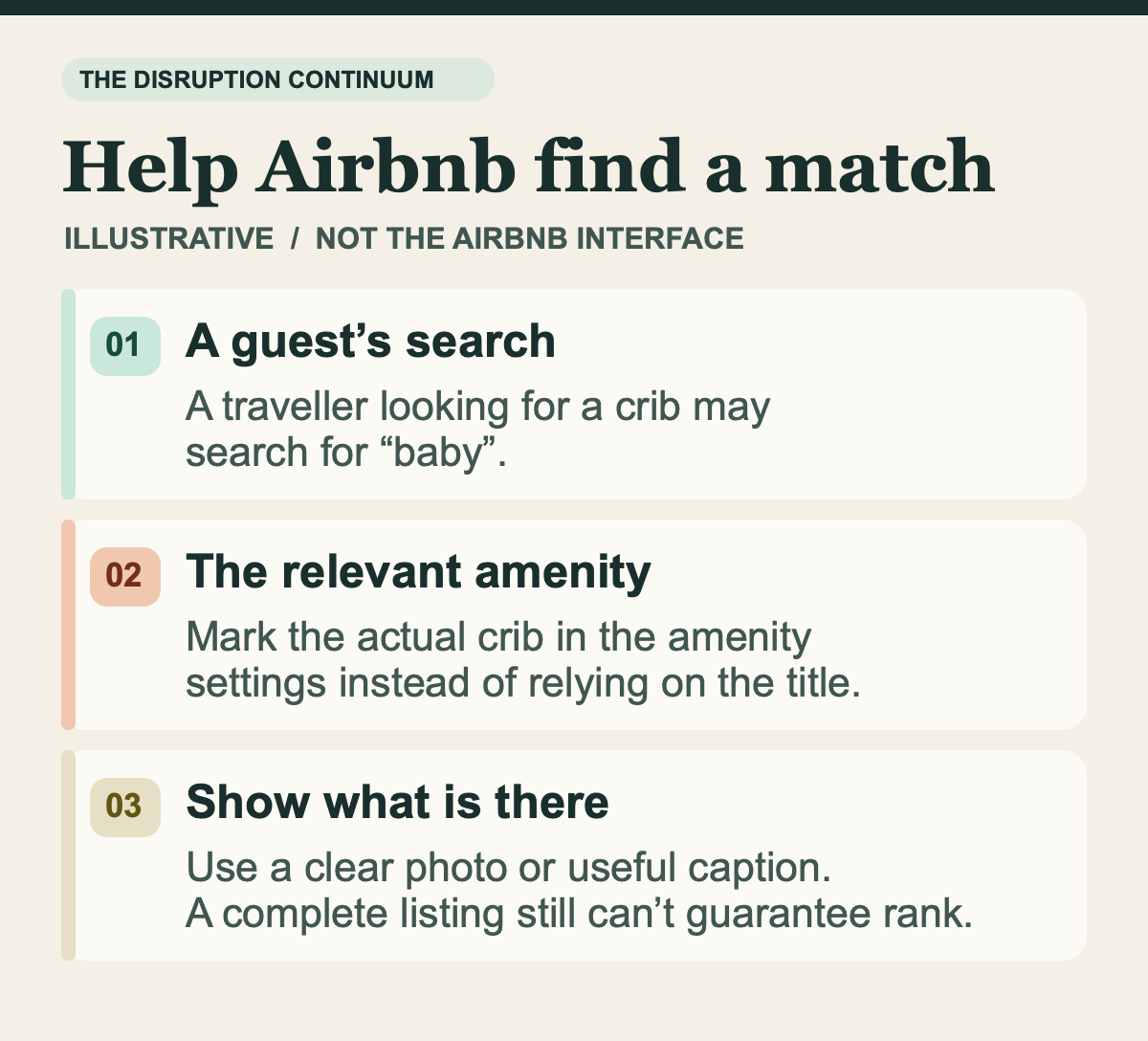
- AI filters. A guest types a word like "baby" inside the filters, and Airbnb surfaces matching filters such as cribs, playgrounds and children's books and toys.
- AI descriptions in search results. Each listing now shows a short AI-written line highlighting its key features. Airbnb's own label on these says they are "generated with AI and can include mistakes."
- AI comparison. Guests can compare homes saved to a wishlist side by side, with AI summaries of the differences.
Two things to keep in mind. First, this is US-first. Airbnb describes AI Search mode as an English-language desktop or laptop browser feature. If you host in South Africa like I do, don't assume the guest sees what you see on your own screen. Second, this is a change to how guests find and read listings — Airbnb has not published anything saying it changes the order listings appear in. Several host guides I read made the same point: Airbnb hasn't said AI search changes ranking. So treat this as a visibility and clarity job, not a ranking hack.
Book my Airbnb services
Why your listing is now the raw material
Here's the shift that matters. Until now, the first thing a guest read about your place was the title and description you wrote. Now, in the US at least, the first thing they read may be a sentence Airbnb's AI wrote about your place — built from the details you provided.
One host guide checked 54 live search cards on Airbnb's US site in October 2026 and found none of them showed the host's title. The AI summary had taken its place. That check was a small sample, and things will keep changing, but the direction is clear: your listing is now input data for Airbnb's AI, not just a page a guest reads.
That means the sloppy bits of a listing — the amenity you forgot to tick, the description that says "stunning" three times but never mentions the Wi-Fi speed — now cost you in a new way. If a fact is missing from your listing, don't count on the AI to show it to a guest who asked for exactly that.
What I'm doing about it
This is a checklist, not a strategy document. It takes an afternoon per listing.
1. Tick every amenity you actually have. This is the single highest-value job. AI filters work off the amenities you tick — if the cot is in the cupboard but not ticked in the listing, a guest using the crib filter may miss you. Go through the amenity list slowly. Only tick what is genuinely there; a guest who arrives to find a "hot tub" that doesn't exist will leave you a review that costs far more than the booking was worth.
2. Lead your description with facts, not adjectives. Put the concrete stuff first: how many bedrooms and beds, the Wi-Fi speed, the workspace setup, the parking situation, how far the beach or the shops actually are. "Stunning coastal retreat" tells the AI nothing. "Two bedrooms, 100 Mbps fibre, dedicated desk, 5 minutes' walk to the beach" tells it everything. Keep the personality — just put it after the facts.
3. Answer the questions guests actually ask. Look at your last twenty guest messages. The same five questions will be in there: Is there parking? How strong is the Wi-Fi? Can we check in early? Is it quiet at night? Is there a cot? Put the answers in the listing, in plain language. Airbnb also offers suggested replies in the hosting inbox. That’s a separate messaging feature, not evidence that an answer changes guest search or ranking.
4. Keep the title plain and short. My rule of thumb: under 50 characters, plain words, no keyword stuffing. "Two-bed flat, 5 min to beach, fast Wi-Fi" beats "STUNNING!! Luxury Coastal Paradise ★★★★★". The AI summary may be what guests read first anyway, but a plain title still shows up on your listing page and in messages. Short and honest is the safe bet.
5. Pay attention to what guests actually report. Where Airbnb shows review summaries, it draws on guest reviews to explain what previous guests experienced. Use that feedback to fix recurring issues. Airbnb has not said that fresher reviews boost ranking in AI search.
6. Caption your photos. Guests can compare room counts and other listing facts side by side. Use captions to explain what a guest is looking at, and add descriptive alternative text where the platform supports it. If a photo shows the workspace, say so. Airbnb does not say the AI reads every caption, so put essential facts in the relevant listing fields too.
What I'm not doing
I'm not rewriting my listings in "AI-friendly" keyword soup, and I'm not paying anyone who promises to "optimise for AI search." Nobody outside Airbnb knows how the matching works in detail, and anyone selling certainty is guessing. The work above is just good listing hygiene — the same work that made listings perform before AI search existed. That's the point: the AI reads what guests would want to read anyway.
The bottom line
Airbnb's AI is now the first reader of your listing. Write for a reader who is literal, fast and forgetful: facts first, every amenity ticked, common questions answered. Do that, and whether the guest finds you through a dropdown or a voice search, it's easier to see whether your place matches what they actually asked for.
Sources
- Airbnb Newsroom, "Airbnb 2026 fall update", 30 September 2026 — https://news.airbnb.com/airbnb-2026-fall-update
- Airbnb Help Centre, AI Search mode and side-by-side comparisons — https://www.airbnb.com/help/article/4280 and https://www.airbnb.com/help/article/4274
- Airbnb Resource Center, guest message auto-replies — https://www.airbnb.com/resources/hosting-homes/a/respond-faster-in-the-messages-tab-770
- Airbnb Help Centre, recommendation systems — https://www.airbnb.com/help/article/4083
- Otamiser, "Airbnb AI search in 2026: how it works and how to set your listings up for it" — https://www.otamiser.com/blog/airbnb-ai-search
- AI Hustle Guy, "Airbnb AI Search and 2026 AI Features: What Hosts Should Fix" — https://www.aihustleguy.com/blog/airbnb-ai-2026-hosts
This is a host's practical guide, not legal advice. Airbnb's Help Centre is the final word on how its features work, and features, dates and availability can change — check your own account and Airbnb's help pages before you act on anything here.