
By James Hinton — 19 November 2026
TL;DR: For reservations booked on or after 20 November 2026, you may not require a guest to use a third-party app or register on another website to get into your place or use a critical amenity. Keyless entry apps are fine to offer, but you must provide an alternate way in if a guest asks. WiFi portals that ask for an email address or other personal information are not allowed, unless the listing is a hotel or resort, or an exception applies.
Think about how a guest actually arrives at your place. They find the address, they get to the door, they need the code or the key. Somewhere along the way, a lot of us added steps: download this app, create an account, register on this portal, give us your email to get the WiFi password.
From 20 November, for reservations booked on or after that date, Airbnb spells out which of those steps are allowed. A compulsory entry app was already generally prohibited under the old policy. The policy is "Limiting host-imposed contracts and other requirements" (Help Centre article 4169), and the principle behind it is simple: a guest should be able to get into the home they booked, and use what they booked, without handing over personal information to a third party first.
This is not legal advice, and Airbnb's Help Centre is the final word. But here is what the policy actually says, in plain language, and what I would do about it.
Book my Airbnb services
The core rule: no app or registration to get in
With limited exceptions, hosts may not require use of a third-party app or registration on another website to gain entry to a listing or access a critical amenity.
That covers the two things guests cannot do without: getting through the front door, and using a critical amenity such as the heating. If your smart lock only works through an app that demands an account, or your building's entry system needs a guest to register on a website before they can get in, that is the kind of requirement Airbnb generally prohibits — unless an exception applies.
The exceptions are narrow, and there are only two:
- It is necessary to comply with applicable law or a documented community association rule — for example, an HOA or building security requirement. A building that genuinely requires every occupant to register at the front desk is the example Airbnb itself gives.
- It is necessary to facilitate signature of an allowed contract — a contract that is itself permitted under the policy, such as one required by law, your insurer, or for a monthly stay.
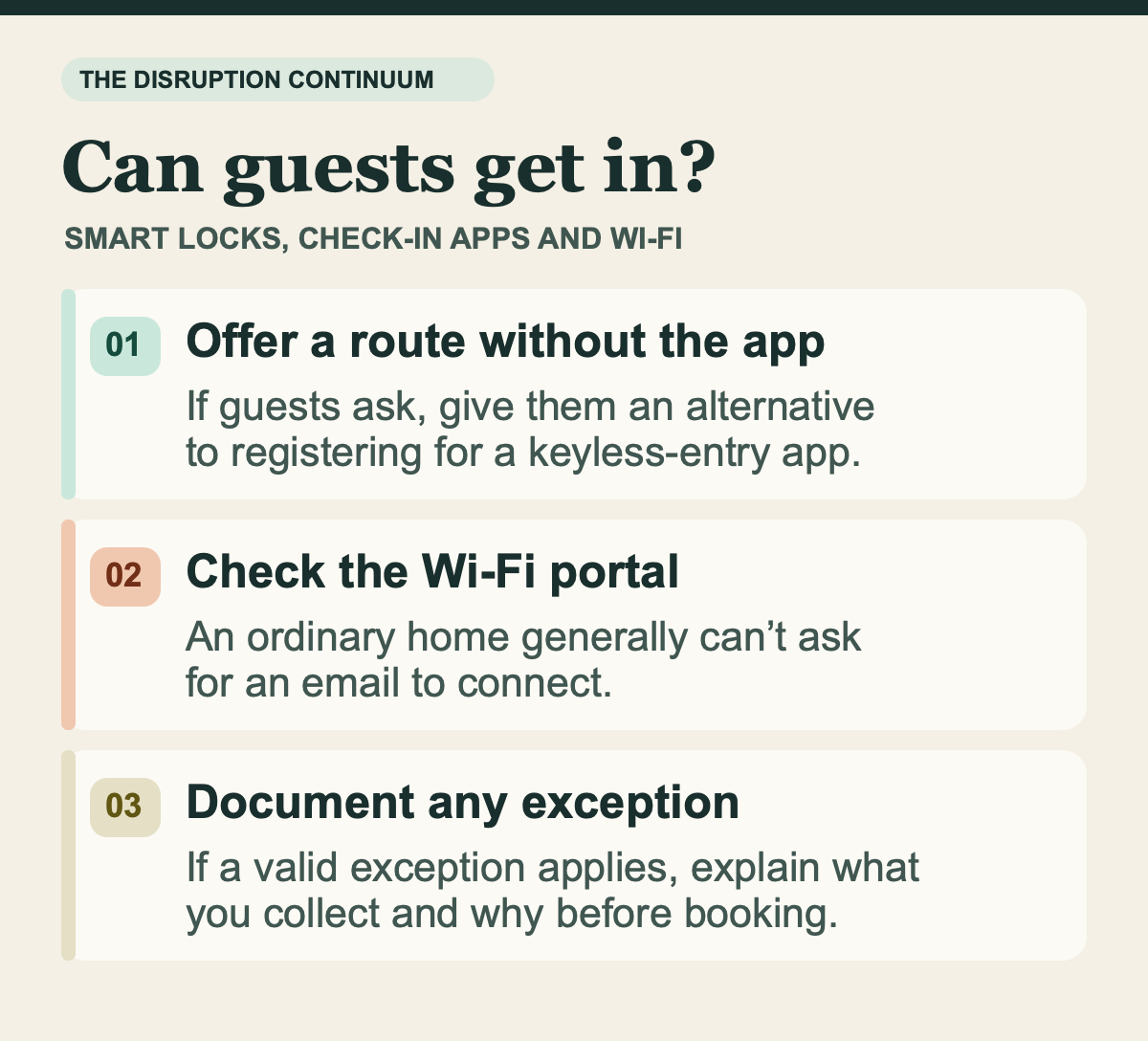
If one of these exceptions applies, you must clearly disclose what information is required of guests, and why, in the additional rules section of your listing, so guests can review it before booking. You may not collect more data than the law or rule calls for, or than is necessary to execute and share the permitted contract. You are responsible for securely storing and disposing of any sensitive data — and Airbnb may ask you to provide evidence that an exception applies.
A vague "for security" is not an exception. A documented building rule is. Keep the document.
Smart locks: offer the app, but always have a Plan B
Keyless entry gets its own carve-out, and it is a practical one.
Airbnb says hosts may offer keyless entry apps that require registration, but must provide an alternate access method if requested by the guest. So the smart lock stays. The app stays. What changes is that a guest who does not want to download your lock app, create an account, and hand over their details must still be able to get in — with a code on the keypad, a lockbox, a key safe, or a physical key.
In practice, that means:
- Keep a non-app way in, and keep it working. A keypad code is the simplest. Test it. Change it between guests the same way you would change anything else.
- Tell the guest about the alternative before they ask. Put it in your check-in instructions: "The lock works with the app, or you can use this code on the keypad — your choice." A guest who feels they have a choice will not complain. A guest who discovers the app is the only way in will.
- Do not make the alternative worse. If the app gets them in instantly and the keypad code takes a message to you and a twenty-minute wait, that is not a real alternative.
Optional apps that make the stay better are fine, and Airbnb names them: Sonos, Nest, a concierge app. The test is whether the guest can have a normal stay without them. If the heating only works through an app that needs an account, that is not optional — that is a critical amenity behind a registration wall.
WiFi portals: the password is not a trade
This is the part that will catch hosts who run their properties like small hotels.
Airbnb says WiFi portals that ask for a guest's email address or other personal information are not allowed unless the listing is a hotel or resort, or one of the exceptions above applies.
So if your WiFi captive portal asks for an email address before it hands over internet access, that has to go for bookings made from 20 November — unless you are a hotel or resort, or a law or documented community rule genuinely requires it.
The fix is simple, and it is better for the guest anyway: put the network name and password on a card in the home, in your check-in message, and in the house manual. A guest who can connect in ten seconds will not remember your WiFi. A guest who had to trade their email address for it will.
The same logic applies to the wider ban on collecting personal data. With limited exceptions, hosts may not solicit personal data at any point during the booking process or the stay. That includes contact and ID details, credit or background checks, biometrics and health information. Financial data is also restricted, with limited exceptions in Airbnb’s payment policy. Your check-in form is not a data collection exercise.
Two things worth knowing that sit in the same policy
- You may physically check a guest's ID in person at check-in, if you disclose the requirement in the additional rules section of your listing. What you may not do is retain a digital or physical copy of it, except where an exception applies. Look at it, hand it back, move on.
- You may not require or pressure guests to do things unrelated to the stay, like attending a timeshare presentation or buying a subscription or membership. Recommending a local restaurant or experience is fine, as long as it is optional and any financial benefit to you — a referral fee, an ownership interest — is disclosed. And you may not ask guests to review your stay on a separate website, unless the listing is a hotel.
What happens if you keep requiring it?
If Airbnb determines you have violated the policy, it says it will take appropriate action: educating you on the policy, issuing warnings, suspending or removing listings, or suspending or removing your account for repeat offences.
What I would do now
For bookings made from 20 November, work through this in order:
- ☐ List every step between a guest arriving and a guest being inside with the WiFi working: lock app, building registration, check-in form, WiFi portal, anything else.
- ☐ For each step, ask: does the guest have to hand over personal information or create an account to get through it? If yes, is it necessary under a law or documented HOA or building rule, or to sign an allowed contract?
- ☐ If a smart lock app is the only way in, set up and test a keypad code or lockbox alternative, and tell guests about it upfront.
- ☐ If your WiFi portal asks for an email address, turn the portal off or switch it to a simple password. Put the network name and password where the guest can find it without asking.
- ☐ If a building rule genuinely requires guest registration, get the written rule, disclose exactly what is required and why in your additional rules, and collect nothing more than the rule calls for.
- ☐ Remove any check-in form that asks for a phone number, email address, ID photo, or other personal data, unless the information is necessary for a legal requirement, a documented community rule, or the signature of an allowed contract.
The guest experience you want is: arrive, get in, connect to the WiFi, relax. Every registration screen between the front door and that moment is friction — and from 20 November, most of it is also against the rules.
Source
Airbnb Help Centre, "Limiting host-imposed contracts and other requirements", article 4169 — https://www.airbnb.com/help/article/4169
Applies to reservations booked on or after 20 November 2026. Reservations booked before that date are covered by the previous policy, printed at the bottom of the same page.